




Unshare a Business Bank Account
If you’ve shared a business bank account with other Workspace Admins, you can unshare it at any time to revoke their access. This is especially useful when an admin changes roles or leaves the company.
Unsharing removes the account from the other admin’s Wallet immediately. Any payments already in process will still be completed.
Unshare a Business Bank Account
Who can unshare a business bank account
- You must be a Workspace Admin.
- You must have an active business bank account in your Wallet that at least one other admin can access.
- Any admin with access can unshare the account from anyone else — including the person who originally added it.
Where to find the unshare option for a business bank account
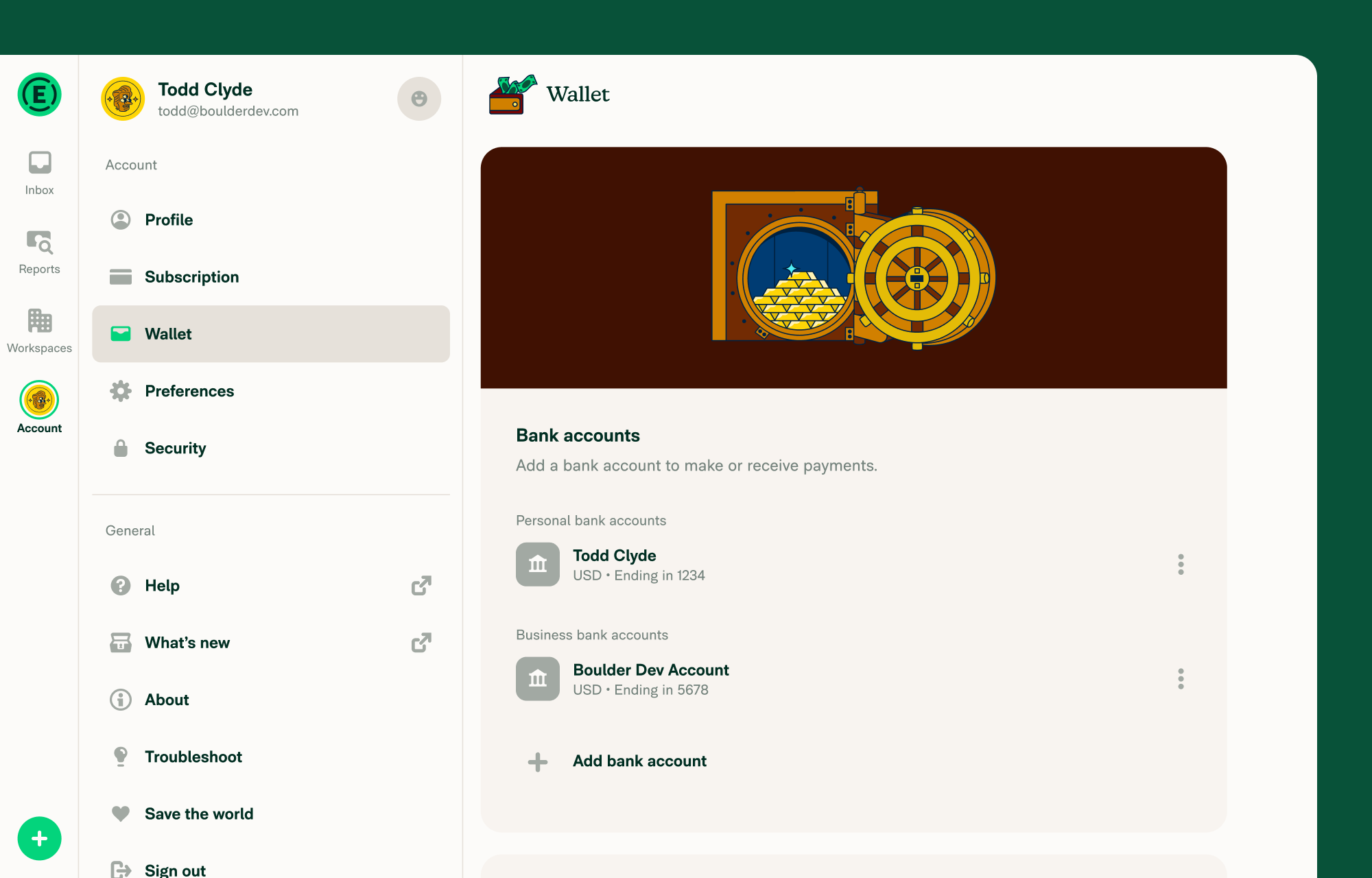
Go to Settings > Wallet.
On mobile, tap the hamburger menu in the top-left corner, then select Settings > Wallet.
How to unshare a business bank account
- Go to Settings > Wallet and find the business bank account.
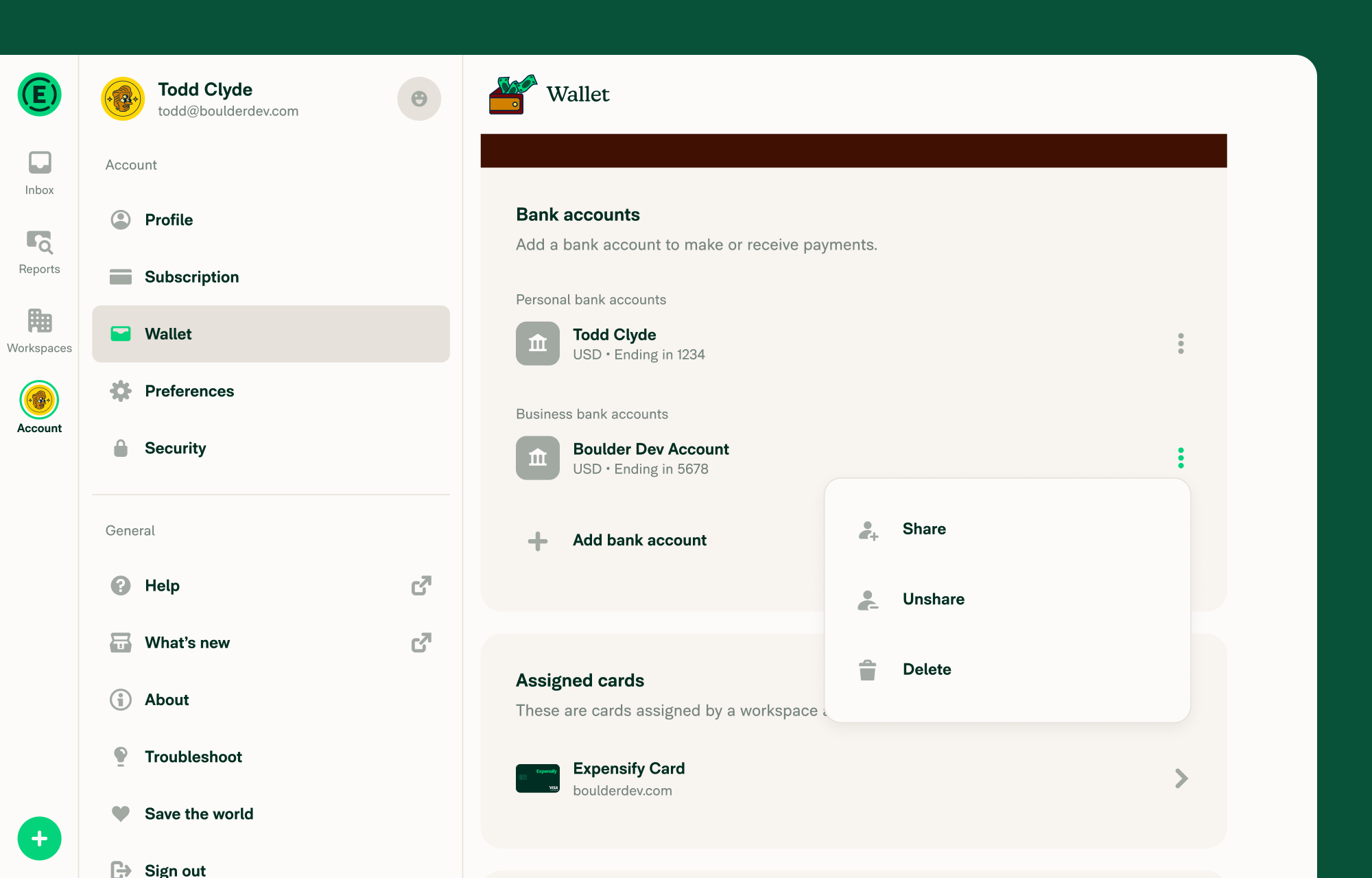
- Click the three dots (⋮) next to the account.
- Select Unshare.
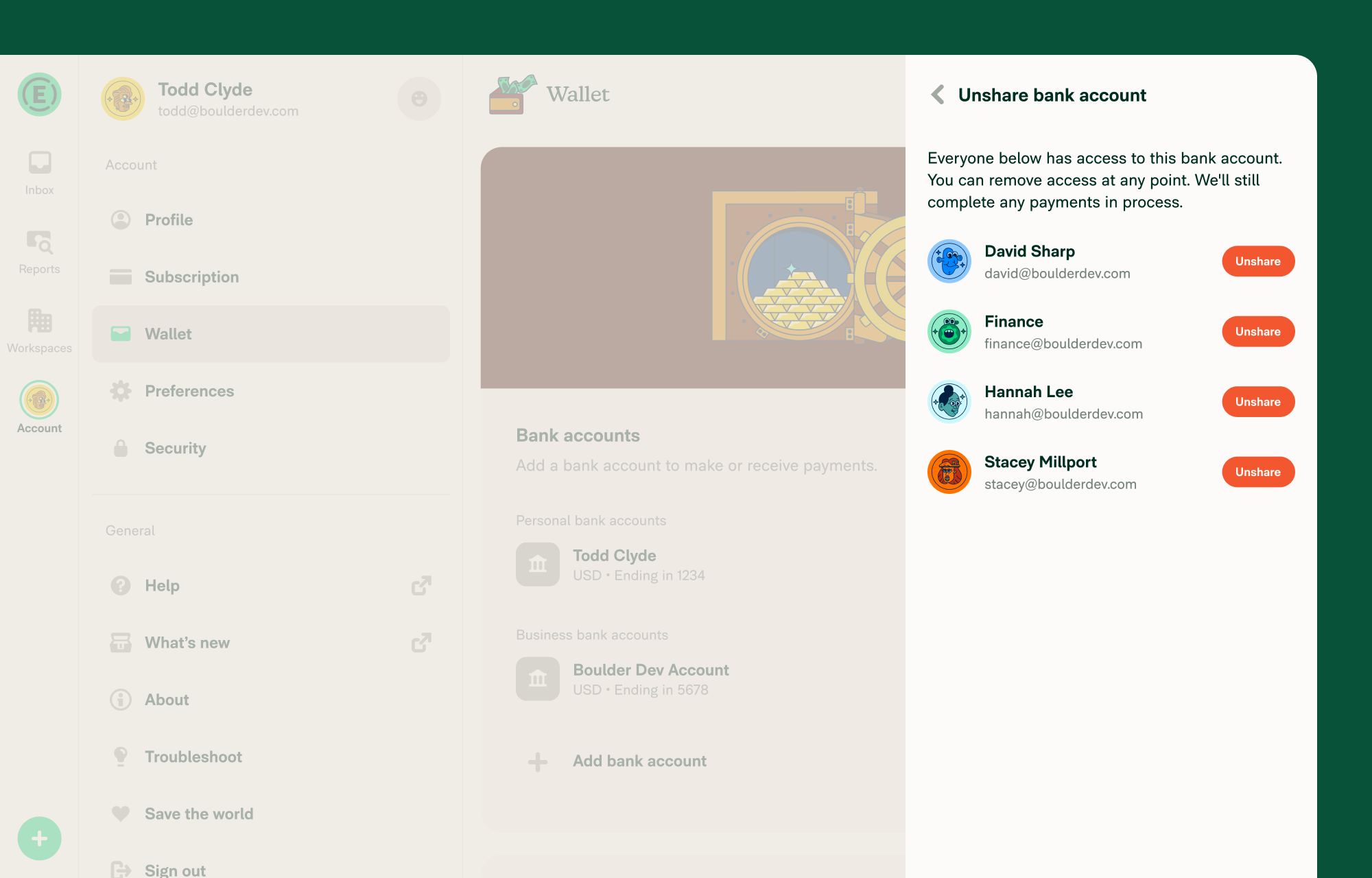
- A list of all admins with access to that bank account appears.
- Click Unshare next to the admin you want to remove.
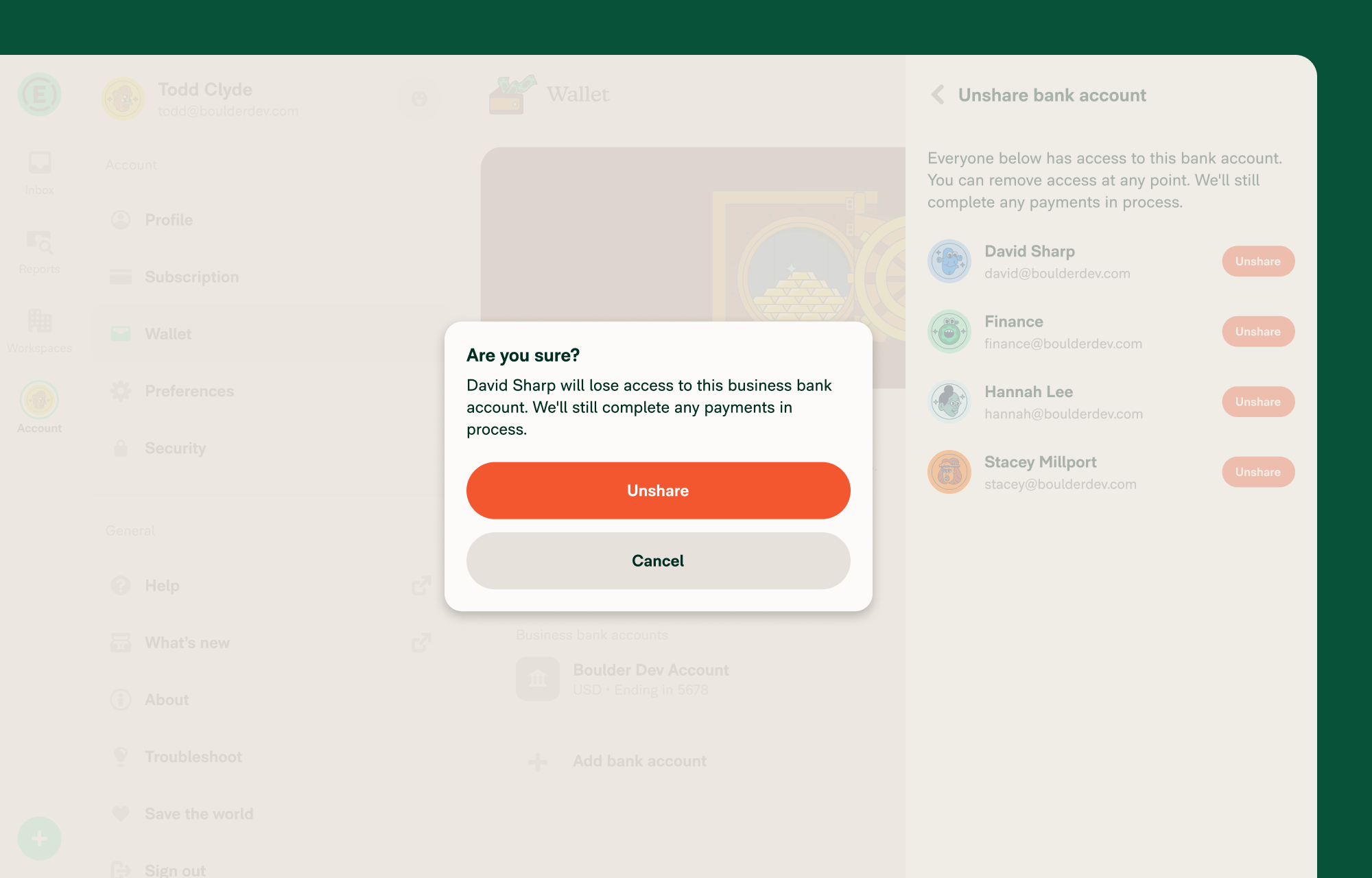
- Confirm in the pop-up modal.
- That admin immediately loses access and receives a Concierge message.
What to do if the account is used as an Expensify Card settlement account
If the admin’s copy of the bank account is currently set as the Expensify Card settlement account, you’ll see an error and won’t be able to unshare.
To resolve this, click Reach out to Concierge in the error message. Concierge will help switch the settlement account so you can proceed.
FAQ
Can I unshare a bank account I didn’t originally add?
Yes. As long as your copy of the business bank account is active, you can unshare it from any admin.
Will the other admin be notified when I unshare the bank account?
Yes. They’ll receive a message from Concierge letting them know they no longer have access.
What happens after you unshare a business bank account?
The account is removed from the admin’s Wallet. They can no longer use it for reimbursements, bill payments, or the Expensify Card. Any payments already in process will still be completed.


